

Running a WordPress website can feel like a full-time job. We’ve all been there—one minute your site is humming along, the next you’re staring at an error message or worrying about hackers. That’s why a WordPress maintenance service can really make a difference. Instead of stressing over updates, backups, or security threats, you let a team handle the technical stuff while you focus on what matters most: your business or your content. It’s not about being lazy; it’s about being smart with your time and energy.
Key Takeaways
- A WordPress maintenance service keeps your website updated and running smoothly, so you don’t have to worry about technical issues.
- Regular maintenance helps protect your site from hackers, malware, and other security risks.
- You’ll save time by letting experts handle backups, updates, and troubleshooting, freeing you up for more important tasks.
- A well-maintained site loads faster and performs better, which keeps visitors happy and improves your search rankings.
- Choosing the right provider means you get reliable support and peace of mind, knowing your website is in good hands.
What Is a WordPress Maintenance Service?
A WordPress maintenance service is a professional service where a dedicated team or provider takes ongoing responsibility for all the routine website care that many of us either forget or simply don’t want to deal with. If you’ve ever found yourself confused about plugin updates or dreading that late-night security alert, you’re not alone — that’s exactly where maintenance services step in. They do regular updates, take backups, and monitor security threats, freeing us up to focus on what really matters: running our business or creating content.
Here’s what makes a best wordpress maintenance service stand out:
- Takes care of core, theme, and plugin updates to keep your website current and less vulnerable.
- Handles regular site backups so that if anything breaks, you aren’t left without a fallback.
- Monitors for hacks or malware, and handles removal of threats fast.
- Optimizes site speed and performance, so visitors don’t get stuck on slow pages.
- Manages general maintenance tasks such as removing spam comments or fixing broken links.
A professional maintenance provider quietly handles all the technical chores in the background, which means fewer headaches and more time for what you love to do.
It can be easy to put off these tasks, especially when things seem to be running smoothly, but problems almost always pop up when we least expect. In fact, many business owners report that hiring ongoing help from one of the top WordPress monthly maintenance services was the key to avoiding expensive downtime and security scares.
In plain terms, a WordPress maintenance service is outsourcing the routine, yet necessary jobs involved in keeping your website healthy — and it means you no longer have to wonder if you’ve missed a critical update or security patch.
By investing in maintenance, we put our websites in safer hands and free ourselves from the stress and surprises of technical upkeep.
Key Benefits of Regular WordPress Maintenance
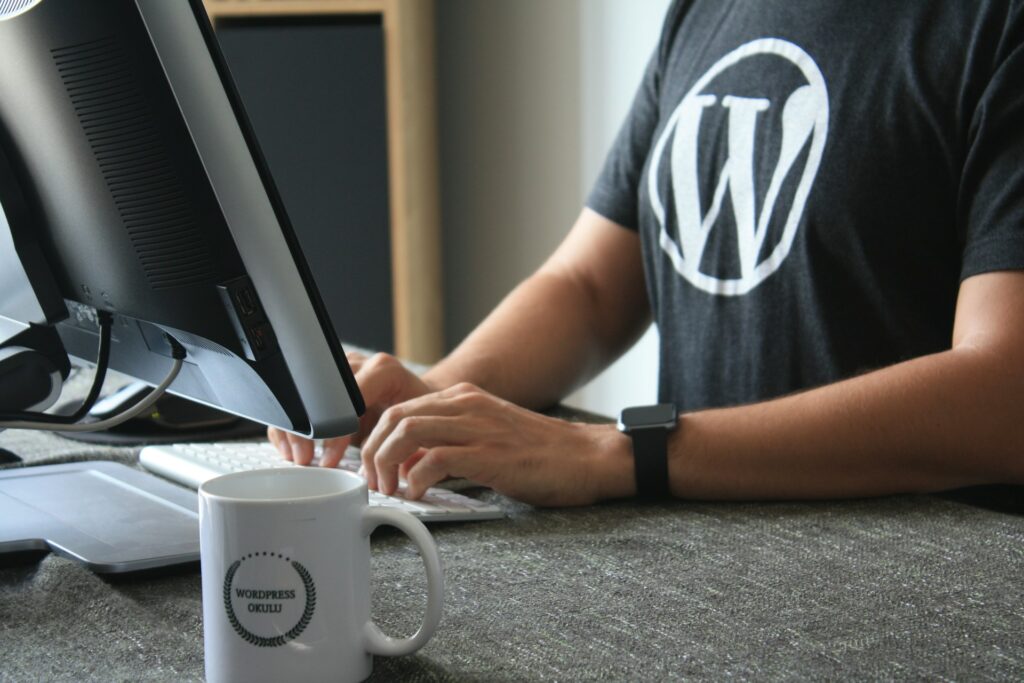
Regular WordPress upkeep isn’t just about checking off a list. It’s about keeping your website healthy, safe, and running as it should. Let’s look at the real benefits.
Enhanced Website Security
No one wants to wake up to find their website hacked or full of malware. We see sites go down far too often because basic wordpress security steps are overlooked. Keeping things updated with secure wp updates does a lot:
- Blocks new Malware and hacking threats by patching vulnerabilities
- Removes old plugins and themes before they become security risks
- Adds layers of protection like firewalls and regular scans
With scheduled maintenance, we nip most security issues in the bud, so your site—and your reputation—stays intact.
Improved Website Performance and Speed
Nobody likes a slow site. If yours drags, visitors click away before giving it a fair shot. Regular upkeep tackles:
- Caching setup for quicker load times
- Optimizing images and cleaning up media files
- Trimming unused plugins slowing the site down
Here’s a quick look at how performance can shift with routine attention:
| Performance Factor | Before Maintenance | After Maintenance |
|---|---|---|
| Average Page Load Time (s) | 5.2 | 2.0 |
| PageSpeed Insights Score | 55 | 92 |
| Bounce Rate (%) | 67 | 38 |
These numbers speak for themselves—keeping up with wordpress performance is key to a fast site.
Better SEO and Site Rankings
Everyone wants to appear higher in search results, but staying visible means keeping your site in shape. Routine maintenance helps by:
- Fixing broken links and cleaning up old content
- Making sure all pages are mobile-friendly
- Updating sitemaps so search engines don’t miss any changes
We know search engines reward fast, secure sites with good rankings. Regular tweaks let us stay on top, not fall behind.
- Regular maintenance strengthens WordPress security, performance, and SEO all at once.
- We avoid last-minute scrambles by catching little problems before they grow.
- There’s less stress—and usually, less cost—when we prevent issues rather than react to them later.
Common Tasks Included in WordPress Maintenance Services
When we talk about WordPress maintenance, we’re really discussing a set of ongoing, recurring tasks that keep a website stable, up-to-date, and reliable. Some folks see these as chores, but they’re the backbone of a healthy online presence. Let’s break down the main elements we always recommend including in any good wordpress maintenance plan.
Core, Theme, and Plugin Updates
Staying current with updates is non-negotiable if we want the site to be secure and bug-free. Updates aren’t just about shiny new features; often, they patch real security holes or fix bugs that could impact your business. Here’s what a proper routine looks like:
- Review available updates weekly (including WordPress core, plugins, and themes).
- Test updates in a staging environment before live deployment—this helps prevent breaking the site for visitors.
- Roll out changes and keep a log of what was updated, when, and why.
Let’s be honest: ignoring updates almost always leads to trouble, whether slowdowns, weird errors, or even hacks.
Regular Backups and Restore Points
Backups are our safety net. If something goes wrong—a bad update, hack, or even accidental deletion—a backup saves the day. We suggest a backup strategy with these basics:
- Schedule daily automatic backups. Increase frequency during busy periods or big site changes.
- Store backups offsite (not just on the hosting server) to protect against server failures.
- Test restores occasionally to confirm backups actually work. There’s nothing worse than a failed restore!
A simple backup schedule might look like this:
| Task | Frequency | Where Stored |
|---|---|---|
| Full Website Backup | Daily | Cloud/Remote Location |
| Database Backup | Twice Daily | Cloud/Remote Location |
| Manual Restore Test | Monthly | Staging Environment |
Security Monitoring and Malware Removal
Website attacks aren’t just something that happens to big companies. If we run a site, we’re a potential target. That’s where security monitoring comes in:
- Run 24/7 automated scans to spot suspicious changes or files.
- Get reports anytime malware or vulnerabilities are detected.
- Remove malware immediately and harden site settings moving forward.
- Enable firewalls and login protection, like two-factor authentication and limiting login attempts.
WordPress maintenance means having these safeguards and, more importantly, catching trouble before it becomes a catastrophe.
- Ongoing activity monitoring to watch for odd admin actions or file changes
- Security plugins and third-party scanners for a second layer of defense
- Detailed incident response steps if a threat is discovered
Ultimately, these wordpress maintenance steps let us sleep a whole lot easier at night, knowing we’re less likely to have messy surprises—and that backup is there if something does go wrong.
Signs You Need a WordPress Maintenance Service
Running a website comes with a lot of small but important jobs that can quickly pile up. It’s easy to let things slide when you’re busy or if website upkeep isn’t your strong suit. When small issues get overlooked, bigger problems can creep up before you even realize it.
Here are a few clear signs that it might be time to consider a WordPress maintenance service:
- You keep putting off critical updates for your plugins, theme, or WordPress core because you’re worried something will break—or you just don’t have the time.
- Your website feels slow or seems to have random hiccups, but troubleshooting isn’t your idea of fun (or you aren’t sure where to start).
- Backups are something you mean to set up, but if an emergency hit today, you honestly couldn’t restore your site quickly.
- Spam comments and broken links are piling up, making your website look neglected and unprofessional.
- You notice your site drops in search rankings or visitors complain they can’t reach certain pages—issues that stubbornly stay unresolved.
- Nasty surprises like malware warnings or hacked files make you nervous because you’re not monitoring security actively.
- Simple tasks like image optimization or old plugin removal get lost in the shuffle and never quite reach your to-do list.
Letting routine maintenance slip, even for just a few weeks, can leave your website open to everything from security breaches to slow loading times—or worse, lost revenue if your site goes down.
If any of these points hit close to home, we can relate. The honest truth is, keeping a website healthy takes more than good intentions. Sometimes, passing the ongoing work to professionals is the only way to have peace of mind and keep things running smoothly.
How to Choose the Right WordPress Maintenance Provider
Choosing the right WordPress maintenance provider can feel a bit overwhelming at first. There are dozens of companies out there, all promising to keep your site secure, fast, and reliable. But not every provider actually delivers real results. We suggest starting with the basics—identifying what really matters for your website and business.
Here are the main factors we consider before picking a provider:
- Expertise with WordPress: Look for teams who live and breathe WordPress. Do they have certification or real-world experience across different site types (especially if you run an online store or a membership site)? Check their past work or testimonials to see if they have success stories similar to your needs. Services highlighted among the best WordPress maintenance providers often include those details right on their websites.
- Service coverage: Not all maintenance plans are created equal. Some only do monthly plugin updates, but others will help with security, uptime checks, performance tweaks, custom development, and even basic SEO work. Make a list of your non-negotiables, so you know your site will actually be in good hands.
- Communication and support: Timely responses are a must. Evaluate support channels and promised response times—can you reach them by chat, email, or phone? How fast do they usually resolve issues, especially in emergencies?
- Customization options: Every site is unique. Does the provider adapt services to fit your situation, or do they take a cookie-cutter approach?
- Clear pricing: Pricing shouldn’t be confusing. Ask for a breakdown so you know exactly what you’re paying for, and what’s considered extra.
Here’s a quick breakdown of what to compare when evaluating potential providers:
| Feature | Why It Matters | What to Look For |
|---|---|---|
| WordPress Experience | Solves issues quickly | Certifications, happy clients |
| Service Scope | Covers all site needs | Security, updates, SEO, more |
| Support & Communication | Resolves problems in real time | 24-48 hour response, live chat |
| Customization | Adapts as your site changes | Tailored plans, flexibility |
| Transparent Pricing | Prevents costly surprises | No hidden fees, clear terms |
When a provider feels genuinely invested in your site’s success—not just ticking boxes—you’ll notice the difference. Our experience has shown that clear communication and a willingness to adapt make the partnership far more effective.
In short, don’t rush this decision. Weigh your options, ask plenty of questions, and trust your instincts. The right provider will make your website run smoother, and your job a lot less stressful.
Conclusion: Investing in Peace of Mind

Having a WordPress maintenance service isn’t just another item on a business checklist. It’s the difference between worrying about your website every day and knowing someone else is looking after it. We get it—running a website brings enough stress as it is. Letting a professional team handle the upkeep can be the safety net that keeps your site healthy when problems pop up.
Here’s a quick reminder why investing in a maintenance plan pays off:
- Frees up our time to focus on what we’re best at—our business, not troubleshooting website problems.
- Proactively prevents problems before they hit, so we avoid major headaches down the road.
- Gives us quick support when issues happen, so small errors don’t become big setbacks.
Peace of mind really comes from knowing our website is secure, up-to-date, and ready to grow with us. Plus, it means never waking up to find the homepage missing or data gone—something no one wants to deal with.
All told, putting website care into the hands of people who do it every day lets us step back, stop stressing about technical tasks, and focus more energy on growing our ideas and our business.
A good maintenance service isn’t about fancy bells and whistles. It’s about keeping what we’ve built strong and steady, so we’re always ready for what’s next. That’s what peace of mind really looks like.
Conclusion
So, after looking at everything, it’s clear that WordPress maintenance isn’t just a nice-to-have—it’s something we all need to think about if we want our websites to keep working well. We’ve seen how regular updates, backups, and security checks can save us a lot of trouble down the road. Sure, some of us might be able to handle a few of these tasks on our own, but let’s be honest—life gets busy, and it’s easy to let things slip. That’s where a maintenance service really comes in handy. It takes the pressure off, keeps our sites running, and lets us focus on what we’re actually good at. In the end, paying for a WordPress maintenance service is really about peace of mind. We can spend less time worrying about technical stuff and more time growing our business or sharing our ideas. If you’re still on the fence, just remember: a little prevention now can save a lot of headaches later.
Frequently Asked Questions
What is included in a WordPress maintenance service?
A WordPress maintenance service usually covers tasks like updating your website’s core files, plugins, and themes. It also includes regular backups, security scans, fixing errors, and making sure your site loads quickly. Some providers may also help with small changes or offer support if something goes wrong.
How often should my WordPress site be updated?
We recommend updating your WordPress site at least once a week. This includes checking for updates to the WordPress core, plugins, and themes. Regular updates help keep your site safe and running smoothly.
Why is website security important for WordPress sites?
Website security is important because it protects your site from hackers, malware, and data loss. If your site is not secure, you could lose important information or your site could stop working. Maintenance services help prevent these problems by using security tools and keeping everything up to date.
Can a maintenance service help my website load faster?
Yes, a maintenance service can help your website load faster. They do this by cleaning up old files, compressing images, and using caching tools. A faster website makes visitors happy and helps your site show up higher in search results.
Do I still need a maintenance service if I use managed WordPress hosting?
Managed WordPress hosting does handle some maintenance, like updates and backups. However, a dedicated maintenance service gives you extra help, such as fixing errors, improving performance, and providing more personal support. Together, they keep your website in great shape.
How does regular maintenance affect my website’s SEO?
Regular maintenance helps your website rank better in search engines. It keeps your site fast, fixes broken links, and makes sure everything is working correctly. Search engines like Google prefer websites that are safe, quick, and up to date.
What happens if I skip WordPress maintenance?
If you skip maintenance, your website may become slow, unsafe, or even break. You could lose visitors, drop in search rankings, or have your site hacked. Regular care helps avoid these problems and keeps your website working well.
How do I pick the right WordPress maintenance provider?
Look for a provider with experience, good reviews, and clear pricing. Make sure they offer the services you need, like updates, backups, and security. It’s also important that they have friendly support and respond quickly when you need help.